
Driving represents freedom, independence, and the ability to connect with the world on your terms. But for drivers with accessibility needs, the road to independence can sometimes feel like it has extra hurdles. Fortunately, technology is paving the way for a more inclusive and accessible driving experience.
This guide will introduce you to some of the top apps designed to empower drivers with accessibility needs. By leveraging the power of these tools, you can enhance your safety, comfort, and overall driving enjoyment, opening up new possibilities and destinations.
Here's a practical tip to get you started right away: Before downloading any app, check your phone's accessibility settings! Many smartphones offer built-in features like voice control, customizable display options, and alternative input methods that can significantly improve your interaction with any app. Explore these settings – you might be surprised at the difference they make!
Navigation Apps with Accessibility Features
Choosing the right navigation app is crucial for a smooth and stress-free driving experience. Several apps offer features specifically designed to support drivers with various accessibility needs.
Google Maps: This ubiquitous app offers a wealth of accessibility features, including voice-guided navigation, real-time traffic updates, and the ability to search for accessible places, such as wheelchair-accessible restaurants and parking spots. The voice-activated search and navigation can be especially helpful for drivers who have limited mobility or visual impairments. One often-overlooked feature is the ability to report accessibility issues at locations, helping other users find truly accessible routes.
Waze: While known for its community-based traffic alerts and route optimization, Waze also boasts voice command capabilities and customizable display settings. Drivers can report road hazards, construction zones, and police presence, providing crucial real-time information that can enhance safety and reduce unexpected detours. For drivers who rely on auditory cues, Waze’s audible alerts can be particularly valuable.
HERE We Go: This app excels in offering offline maps, which can be invaluable for drivers in areas with limited or unreliable internet connectivity. HERE We Go also provides detailed information about public transportation options, making it a useful tool for planning multimodal trips. Its clear and concise visual display, coupled with customizable voice guidance, makes it a solid choice for drivers with varying accessibility needs.
Apple Maps: Apple Maps has significantly improved its accessibility features in recent years. It provides turn-by-turn voice navigation, lane guidance, and even speed limit information. The app integrates seamlessly with Siri, allowing drivers to control navigation hands-free. Apple Maps also offers detailed information about points of interest, including accessibility information such as wheelchair accessibility and hearing loops.
How do I customize navigation app settings for better accessibility?
Most navigation apps allow you to adjust settings like voice volume, font size, color contrast, and the level of detail displayed on the map. Experiment with these settings to find what works best for your individual needs. For example, increasing the font size can be helpful for drivers with visual impairments, while simplifying the map display can reduce distractions.
Parking Apps for Easy Accessibility
Finding accessible parking can often be a major challenge for drivers with disabilities. These apps can help you locate designated parking spots quickly and easily, saving you time and frustration.
Park Mobile: This popular app allows you to reserve and pay for parking in advance, eliminating the need to fumble with cash or credit cards at the meter. Park Mobile also provides information about accessible parking options in many locations, including the availability of designated handicap parking spaces. This can be a lifesaver in busy urban areas where finding accessible parking can be especially difficult.
Spot Angels: This app focuses on providing real-time parking availability and pricing information. While not exclusively focused on accessible parking, Spot Angels allows users to filter parking options based on specific criteria, such as the presence of handicap parking spaces. The app also leverages community-based reporting to provide up-to-date information about parking regulations and restrictions.
Passport Parking: Similar to Park Mobile, Passport Parking allows you to pay for parking through your smartphone. The app also provides information about accessible parking options in participating locations. Passport Parking is widely used in many cities and college campuses, making it a convenient option for drivers with disabilities who frequently travel to these areas.
What should I do if an accessible parking space is occupied illegally?
Report the violation to the local authorities, such as the parking enforcement department or the police. It's also important to document the violation by taking photos or videos of the vehicle and its license plate. Remember, illegally occupying an accessible parking space can have significant consequences for individuals who rely on these spaces.
Voice Assistant Apps for Hands-Free Control
Voice assistant apps can be invaluable for drivers with limited mobility, allowing them to control various functions of their smartphone and vehicle hands-free.
Google Assistant: Integrated into Android devices, Google Assistant can be used to make calls, send texts, play music, set reminders, and control navigation, all with voice commands. This can significantly reduce distractions and improve safety for drivers with mobility impairments. Google Assistant can also be used to control smart home devices, allowing drivers to adjust the temperature or turn on the lights at home before they even arrive.
Siri: Apple's voice assistant, Siri, offers similar functionality to Google Assistant. Siri can be used to control various functions of your i Phone, including making calls, sending texts, playing music, and controlling navigation. Siri also integrates seamlessly with Apple Car Play, allowing drivers to control various functions of their vehicle's infotainment system with voice commands.
Amazon Alexa: While primarily known for its use in smart home devices, Amazon Alexa can also be used in vehicles through Alexa-enabled devices. Alexa can be used to play music, listen to audiobooks, get news and weather updates, and even control smart home devices from the road.
Are there specific vehicle integrations with voice assistants for better accessibility?
Yes, many modern vehicles offer integration with voice assistants like Apple Car Play and Android Auto. These integrations allow drivers to control various vehicle functions, such as climate control, audio playback, and navigation, using voice commands. Some vehicles even offer built-in voice assistants that are specifically designed for use in the car.
Communication Apps for Emergency Assistance
In case of an emergency, having access to reliable communication apps can be crucial. These apps can help you connect with emergency services, family members, or roadside assistance providers quickly and easily.
ICE (In Case of Emergency) Apps: These apps allow you to store important medical information, emergency contacts, and other critical details on your smartphone. In the event of an accident or medical emergency, first responders can access this information even if you are unable to communicate. Some ICE apps also allow you to send emergency alerts to your designated contacts with your location information.
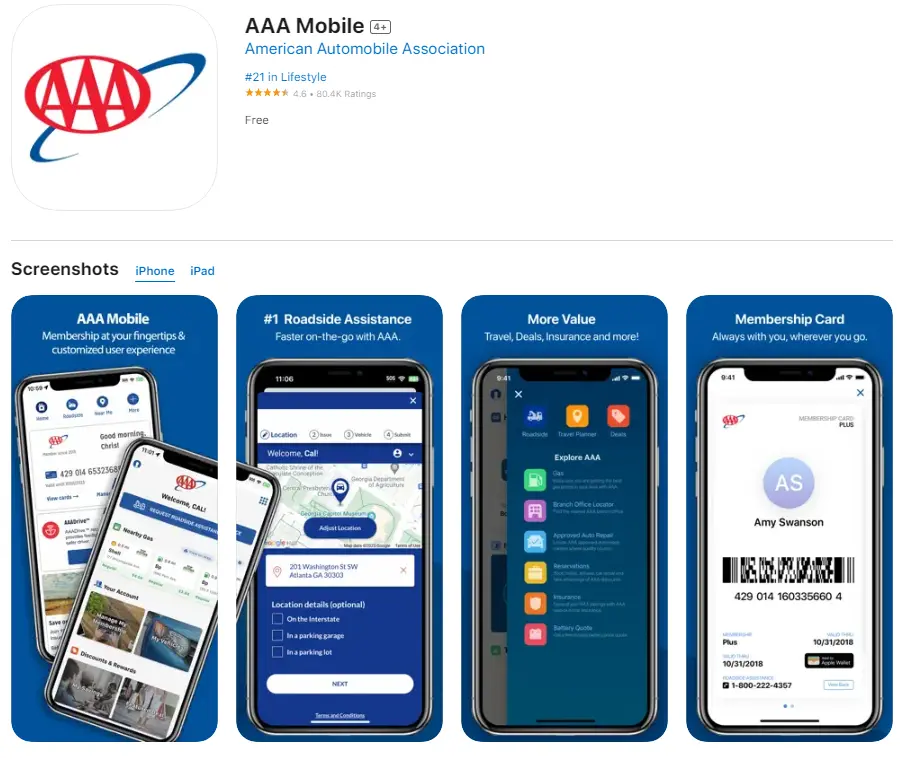
Roadside Assistance Apps: Many roadside assistance providers, such as AAA and Better World Club, offer mobile apps that allow you to request assistance with a few taps on your smartphone. These apps can be invaluable in case of a breakdown, flat tire, or other roadside emergency. The apps typically provide real-time updates on the status of your request and allow you to track the location of the service vehicle.
Emergency SOS Features: Both Android and i OS devices offer built-in emergency SOS features that allow you to quickly contact emergency services and your designated emergency contacts. These features can be activated by pressing a specific combination of buttons on your smartphone. The emergency SOS feature can also automatically share your location with emergency services, helping them to find you quickly.
How can I ensure my emergency contacts know how to help me in a crisis?
Have an open conversation with your emergency contacts about your specific needs and how they can best assist you in an emergency situation. Provide them with relevant medical information, such as allergies, medications, and any pre-existing conditions. It's also a good idea to create a written plan that outlines the steps they should take in case of an emergency. Review and update this plan regularly to ensure that it remains accurate and relevant.
Navigating life with accessibility needs requires resourcefulness and the right tools. These apps are just the beginning. Explore the world of adaptive driving solutions, investigate accessible vehicle modifications like hand controls or wheelchair-accessible vans, and seek out disability driving tips from reputable sources. Your journey toward greater driving independence and comfort is a continuous one, filled with opportunities to learn, adapt, and thrive.